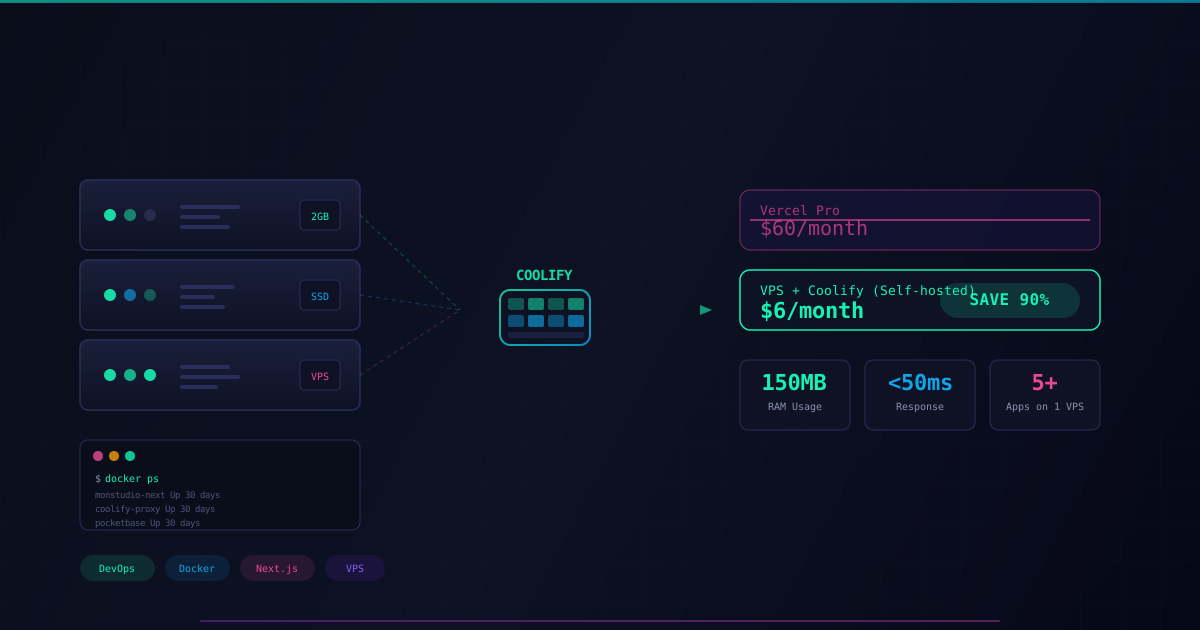
How I Saved 90% on Server Costs with VPS DigitalOcean & Coolify
Building a powerful "Self-hosted PaaS" infrastructure for Next.js 16 at just $6/month
If you're a Frontend Developer, Vercel is paradise. Just git push and you're done — the site runs blazingly fast. But if you're a Product Builder running multiple projects simultaneously (like me with MonStudio, PipeFit, MonChinese...), Vercel starts to show its cracks:
- Cost: $20/month/user for the Pro plan. If your team has 3 people, that's $60/month just for web hosting.
- Limitations: No Database, no Redis, no background Workers (unless you pay premium prices).
- Vendor Lock-in: You're completely dependent on their infrastructure.
At MonStudio, I chose a different path: Technology self-sufficiency (Self-hosting).
Today, I'll share how I built the entire Portfolio system running the latest Next.js 16 on a low-spec VPS (2GB RAM) that still runs smoothly and stably — for the cost of a Starbucks coffee.
1. The Secret Weapon: Coolify (The Open Source Vercel)
Instead of painfully typing Linux commands to install Nginx, SSL, Docker... I use Coolify. It's a game-changing tool that transforms your bare VPS into a PaaS system rivaling Vercel or Heroku.
- Automatically pulls code from GitHub.
- Automatically builds Docker Images.
- Automatically provisions SSL certificates (HTTPS).
- Manages Database, Redis, MinIO... all in one intuitive interface.
2. The Technical Challenge: Next.js 16 vs. 2GB RAM VPS
The biggest challenge with self-hosting is Resources. Next.js 16 builds are heavy. On my 2GB RAM DigitalOcean VPS, the very first deployment hit the classic error:
Error: Command execution failed (exit code 255) → Out of Memory
Here's how I solved this problem (and how I optimize costs for my clients):
Step 1: Swap Memory: I allocated an additional 4GB of Swap to the VPS. When physical RAM runs out, Linux borrows disk space as RAM. It's slower, but it saves the day during App Build time.
Step 2: Strategic Dockerfile: By default, Coolify uses Nixpacks (convenient but RAM-hungry). I switched to a custom Dockerfile based on node:20-alpine. Instead of trying to use the complex "Standalone" feature (prone to 404 file errors), I chose the standard Build approach: Stable, 100% compatible with all libraries, and most importantly — it works.
# MonStudio's battle-tested Dockerfile
FROM node:20-alpine
WORKDIR /app
COPY package*.json ./
RUN npm install
COPY . .
RUN npm run build
EXPOSE 3000
CMD ["npm", "start"]
3. Results: High Performance at a "Peanut" Cost
After optimization, the monstudio.me system is now running with impressive metrics:
- RAM Usage: Only ~150MB when running (Idle).
- Speed: Instant response thanks to Next.js caching mechanism.
- Cost: ~$6/month for a DigitalOcean VPS.
- Scalability: On the same VPS, I also run Uptime Kuma (monitoring), PocketBase (Backend for Mobile App), and 3-4 other satellite websites.
4. Lessons for Businesses
Why am I telling this technical story? To prove that: Efficiency doesn't have to be expensive.
Many businesses are advised to buy Cloud Server packages costing tens of thousands while their traffic doesn't even warrant it. With a Product Builder mindset, I always find the best balance (Sweet Spot) between: Performance - Cost - Maintainability.
If you need a web/app system that runs fast and stable without burning money on servers every month, you know who to call. 😉

Manh Hung — Tech Founder @ MonStudio
Product Builder & Mobile Engineer
Got an idea you want to bring to life?
Get in touch with MonStudio to turn your idea into a real product.
Get in Touch